GAMING PCsTHE WHOLE RIGFIELD NOTES
VOL. 0101
04 / THE WORKBENCH

Observe. Isolate. Retest.

A practical notebook for the whole rig: eight symptom checklists, sixteen workload lenses and eight room plans. These are inspection prompts, not measured performance results.

DIAGNOSTIC / STUTTER

Is delivery uneven even when average FPS looks healthy?

  1. Capture a frame-time graph in one repeatable scene.
  2. Separate shader compilation, asset streaming and CPU spikes.
  3. Check VRAM pressure and background overlays before lowering everything.
  4. Retest after one change with the same save, route and settings.

If stutter appears across games with crashes or data corruption, return clocks to stock and test memory and storage health.

WORKLOAD LENSES

Measure the experience.

Recovered workload topics retain their testing questions. Unsupported CPU, memory and FPS prescriptions have been withheld.

competitive

Tactical shooter

Observe1% lows, click-to-photon latency, display overdrive

Variables to investigateLow-latency preset, Reflex/Anti-Lag where supported, sensible FPS cap

competitive

Battle royale

ObserveLate-circle CPU load, shader stutter, network variance

Variables to investigateTexture clarity plus competitive effects; cap below unstable peaks

competitive

Racing esports

ObserveTriple-display pixels, wheel USB stability, frame pacing

Variables to investigateMirror quality and crowd density before texture cuts

competitive

Strategy / large battles

ObserveTurn-time, late-game CPU load, mod memory use

Variables to investigateSimulation and unit limits first

aaa

Open-world AAA

ObserveTraversal stutter, VRAM allocation, asset streaming

Variables to investigateHigh textures, selective RT, quality upscaling

aaa

Path-traced showcase

ObserveBase FPS, latency, ray-reconstruction artifacts

Variables to investigateReconstruction plus frame generation from a healthy base

aaa

Heavily modded RPG

ObserveSave stability, script latency, storage and VRAM spikes

Variables to investigateTexture budget and script load before blanket presets

aaa

Couch 4K

ObserveHDMI bandwidth, cabinet airflow, text scale

Variables to investigateController-friendly cap, VRR, quiet fan profile

sim

Flight simulator

ObserveMain-thread limit, scenery storage, USB devices

Variables to investigateTerrain, traffic and glass-cockpit refresh separately

sim

Driving simulator

ObserveTriple-screen pixel count, USB hubs, motion software

Variables to investigateMirrors, shadows and car count before textures

sim

VR room-scale

ObserveDropped frames, USB routing, wireless congestion

Variables to investigateFixed refresh target; resolution before effects

sim

City / factory simulation

ObserveLate-save CPU time, memory growth, mod conflicts

Variables to investigateSimulation scale and population before visual extras

creator

Single-PC streaming

ObserveDropped render frames, audio routing, upload stability

Variables to investigateStable game cap leaves encoder and scene headroom

creator

Video edit + game capture

ObserveCodec acceleration, scratch writes, backup throughput

Variables to investigateSeparate project, cache and archive strategy

creator

3D rendering + play

ObserveOut-of-core slowdown, sustained power, PSU and thermals

Variables to investigateBenchmark the named renderer before choosing vendor

creator

Local AI + gaming

ObserveVRAM fit, thermals, storage growth, software support

Variables to investigateChoose around model size and quantization, then validate games
ROOM NOTES

The setup is part of the system.

Small bedroom

Layout to considerCompact tower under an open desk · 27-inch 1440p display

NetworkEthernet if possible; access point outside the PC's metal shadow

AcousticsDesk isolation pads and a low-RPM intake path

InspectPushing the exhaust against a wall or curtain

Living room

Layout to considerQuiet tower in open furniture · controller-first interface

NetworkWired link behind the media unit

AcousticsLarge slow fans; no sealed cabinet

InspectBuying a 4K GPU without checking HDMI path and text scale

Creator desk

Layout to considerTower beside—not inside—the desk · dual displays

Network2.5GbE to local storage if the workflow benefits

AcousticsMove microphones away from exhaust and keyboard reflection

InspectRecording media and project cache on one nearly full drive

Streaming corner

Layout to considerMain display centered · chat and control secondary · light above eye line

NetworkWired uplink with upload headroom

AcousticsDynamic mic close to mouth; soft surfaces behind the speaker

InspectAdding a capture card before fixing audio and network

VR zone

Layout to considerClear boundary · PC at edge · ceiling and reach measured

NetworkPC wired; dedicated clean wireless channel near play area

AcousticsFan noise matters less than cable and room safety

InspectTreating headset setup as only a GPU requirement

Sim cockpit

Layout to considerRigid controls · display/headset aligned · PC accessible from the side

NetworkWired for multiplayer and telemetry

AcousticsIsolate bass shakers and wheel vibration from neighbors

InspectConnecting every controller through one cheap hub

Shared family desk

Layout to considerSimple front access · labeled profiles · spill-aware placement

NetworkStable wired or managed Wi-Fi profile

AcousticsQuiet default curve and headset hanger

InspectAdmin access, saves and peripherals left unorganized

LAN / travel kit

Layout to considerLaptop or compact tower · portable display · one cable pouch

NetworkEthernet adapter plus tested Wi-Fi fallback

AcousticsHeadset isolation over maximum speaker volume

InspectPacking without a cold-start test away from the home dock

VISUAL INSPECTION

Read the enclosure.

Supplied model-family imagery supports general inspection questions. It does not prove exact product construction or performance.

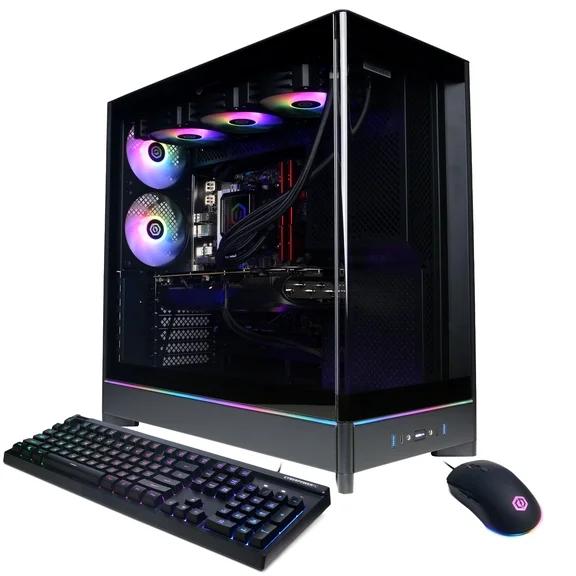
Supplied model-family image; configuration unverified

A standard tower is a service map

Visible cable routes, conventional board placement and open fan paths make diagnosis and upgrades legible. Look for access before lighting.

Supplied image · model-family association unverified
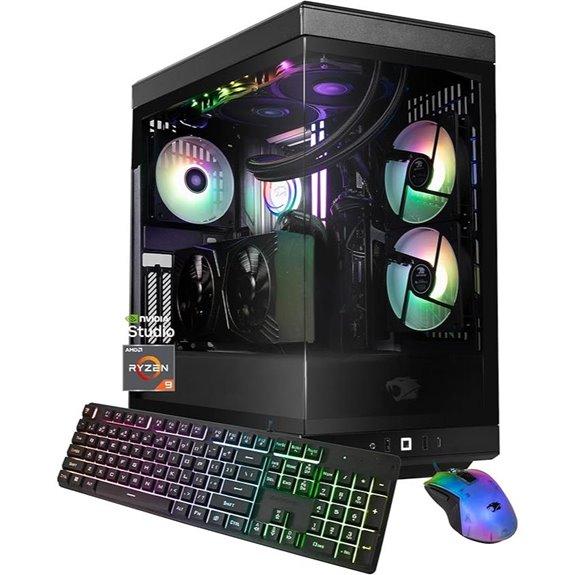
Supplied model-family image; configuration unverified

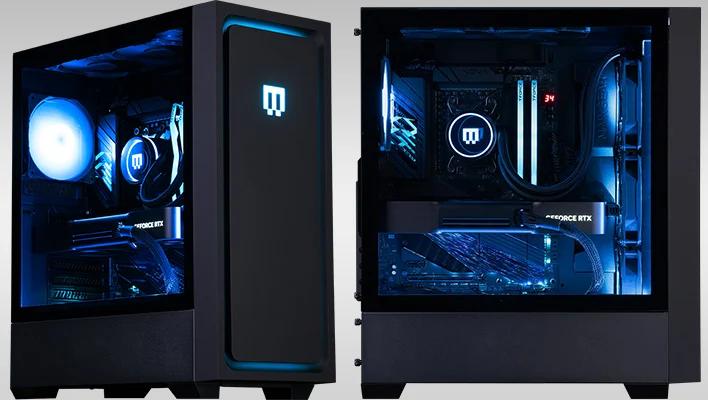
Glass does not explain airflow

A clear side panel reveals the parts but not the pressure path. Inspect front intake area, filter density, exhaust clearance and GPU recirculation.

Supplied image · model-family association unverified
Supplied model-family image; configuration unverified

Showcase cases need deliberate pressure

Dual-chamber layouts can hide cables and power hardware beautifully. They still need enough fresh intake aimed at the graphics card.

Supplied image · model-family association unverified
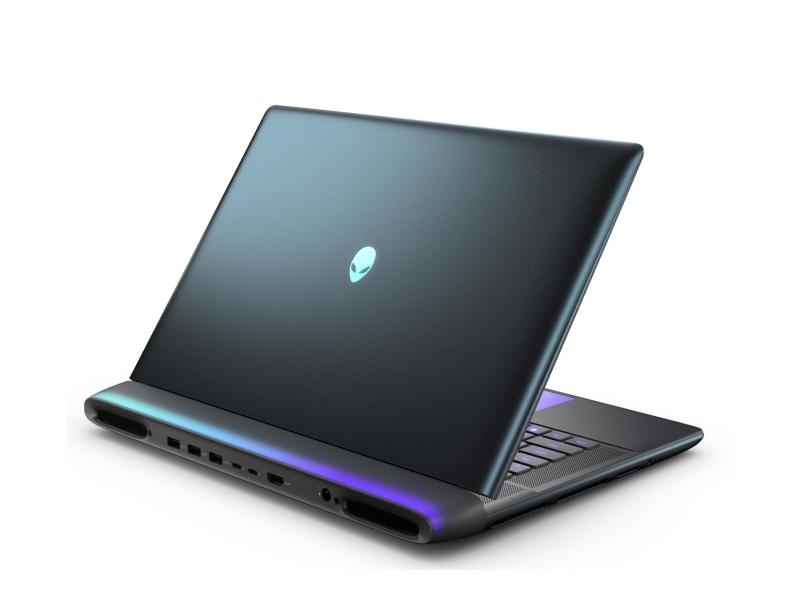
Supplied model-family image; configuration unverified

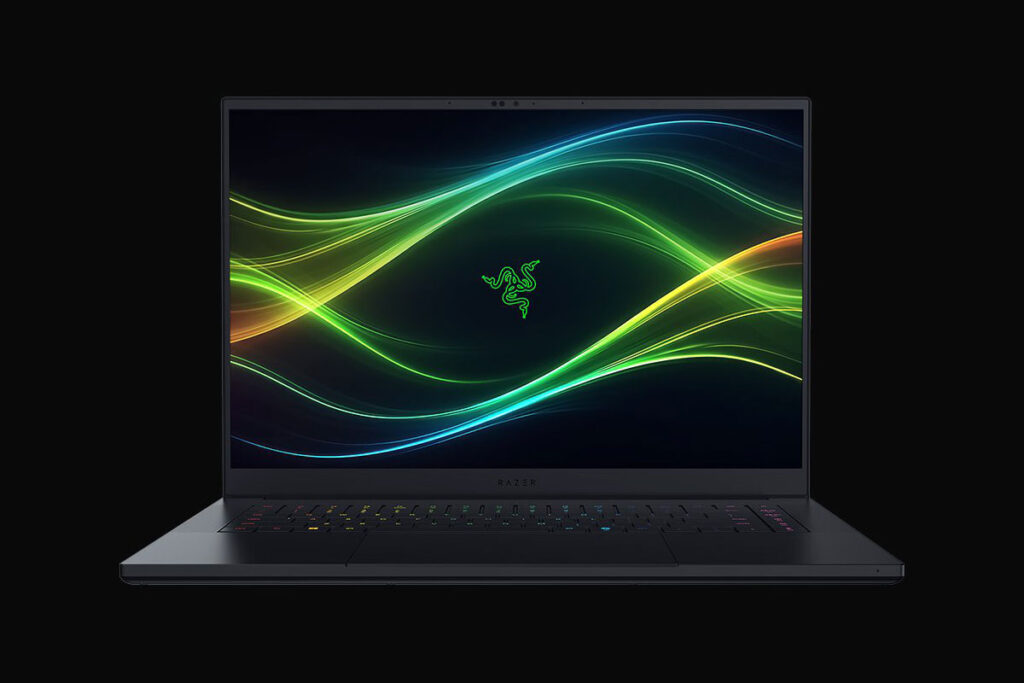
A laptop is a tuned power envelope

The CPU, GPU, charger, firmware and heat pipes share one budget. Compare sustained power and acoustics, not silicon names alone.

Supplied image · model-family association unverified
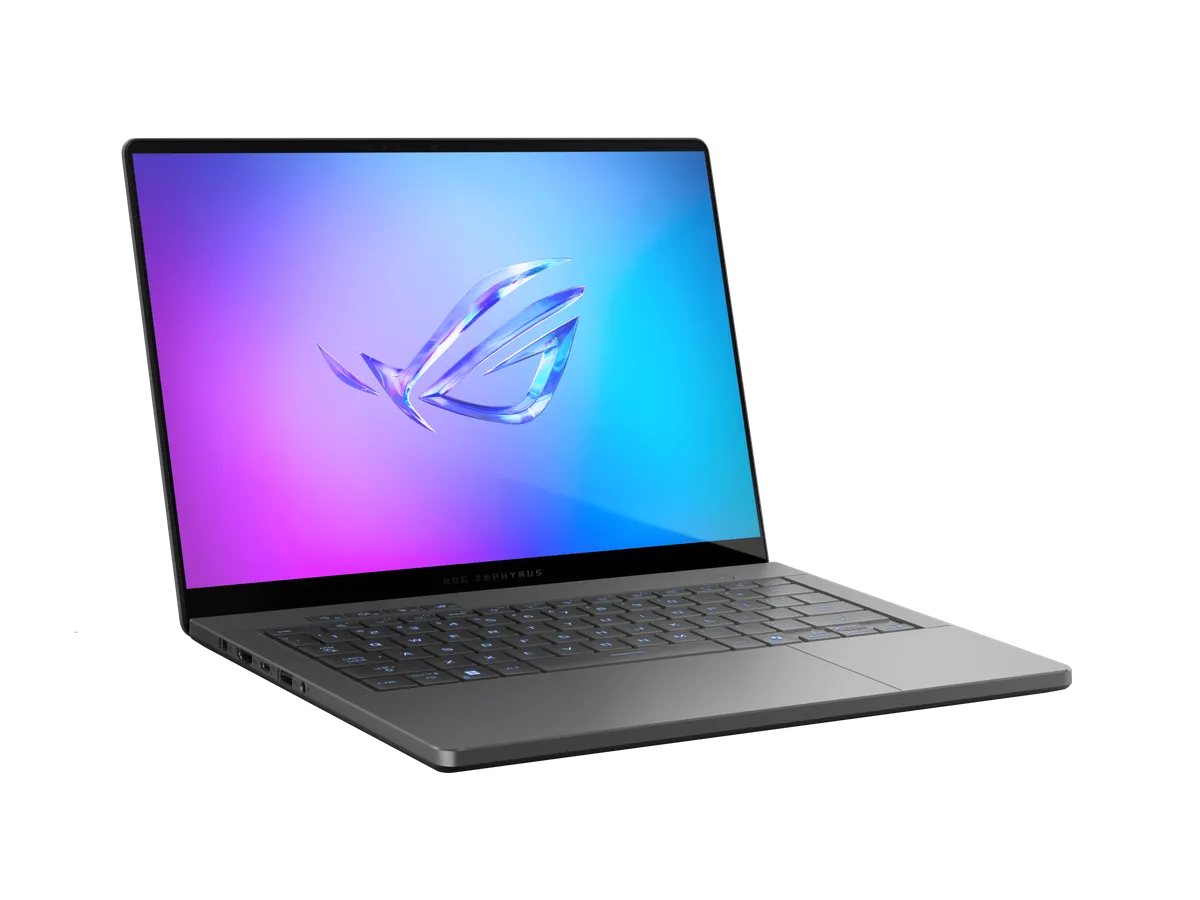
Supplied model-family image; configuration unverified

Thinness spends thermal margin

Portable machines trade mass, fan pitch and sustained clocks against mobility. The best choice fits the trip and the desk, not the benchmark peak.

Supplied image · model-family association unverified
Supplied model-family image; configuration unverified

Premium finish is not repair access

Chassis quality, panel, trackpad and speakers affect every hour. So do soldered memory, battery replacement and the number of open storage slots.

Supplied image · model-family association unverified
Supplied model-family image; configuration unverified

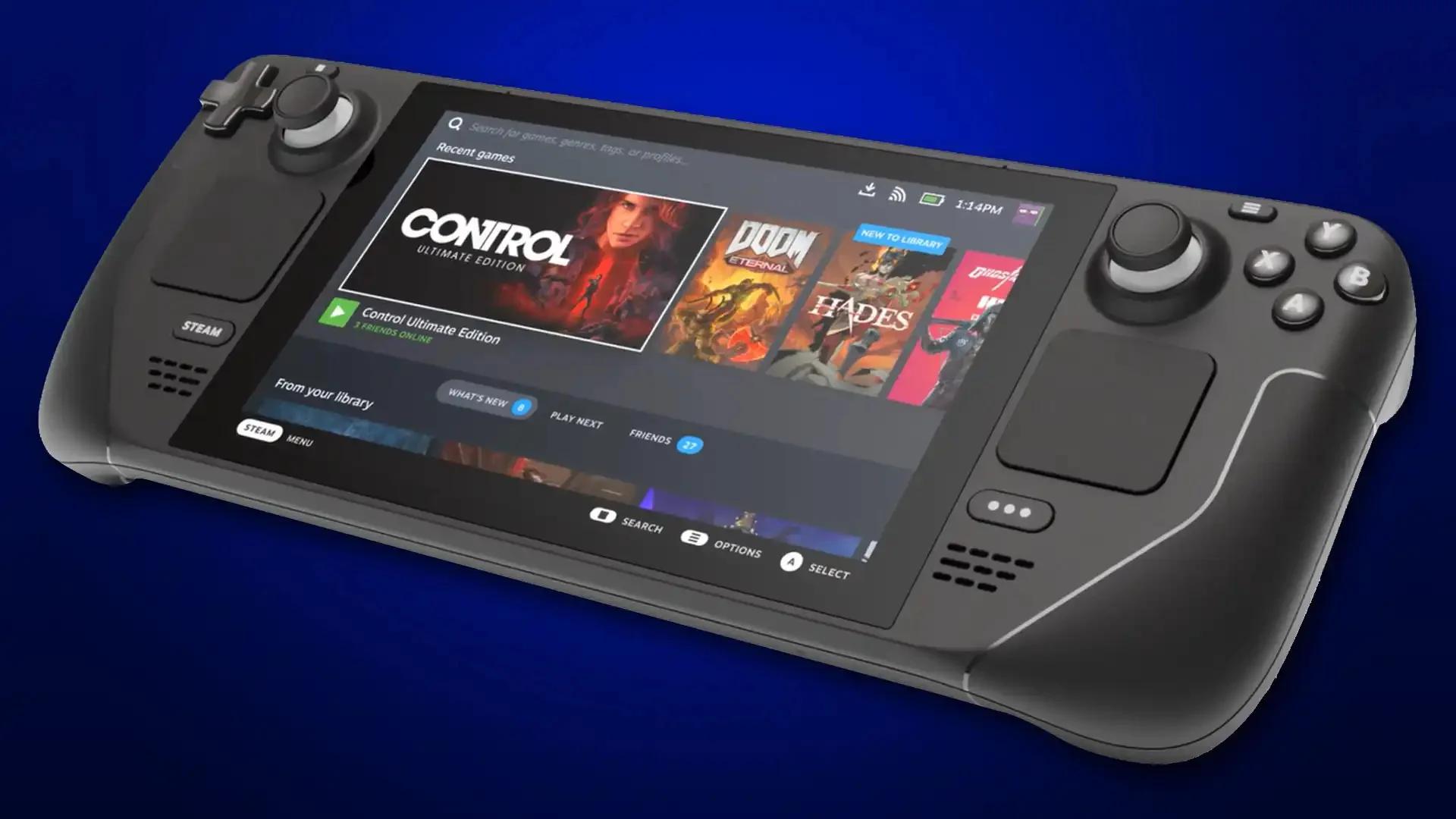
Efficiency becomes performance

At handheld scale, a stable low-power profile, readable screen and reliable suspend can matter more than a short maximum-wattage run.

Supplied image · model-family association unverified
Supplied model-family image; configuration unverified

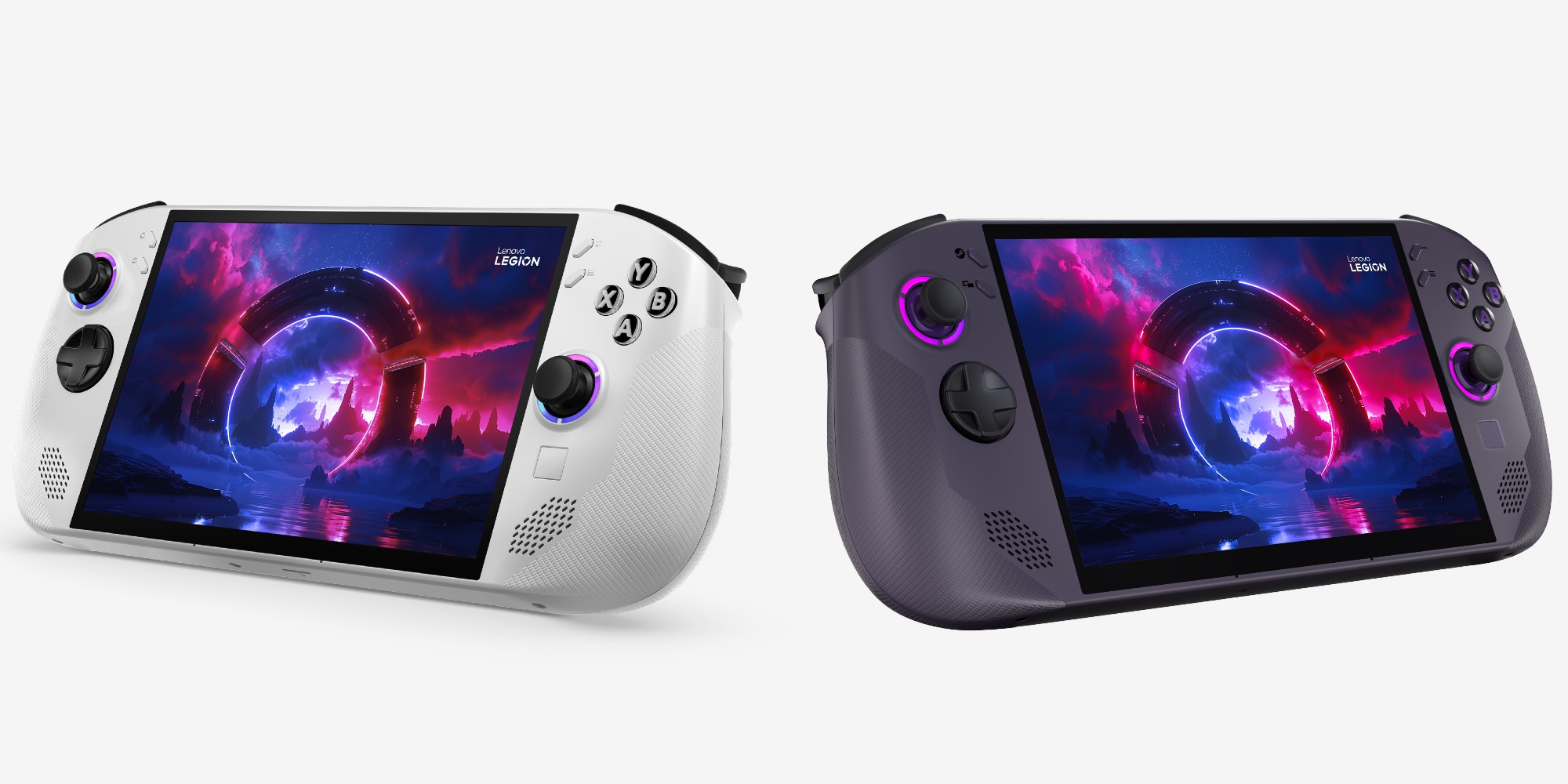
Controls define the form factor

Screen size, grip geometry, detachable inputs, kickstand and software shell decide whether a handheld works on a couch, train or desk.

Supplied image · model-family association unverified

Follow the heat path.

Room / Ambient temperature

Every cooler begins with room air. A hot cabinet or summer room can erase a paper advantage.

Intake / Fresh-air area

Prefer broad mesh and reachable filters. Tiny side slots demand faster, louder fans.

CPU / Package power over time

Match cooler capacity to sustained workload, not a short boost chart.

GPU / Core, hotspot and memory

Watch recirculation below the card and clearance against the side panel or radiator.

Exhaust / Heat leaving the case

Top and rear exhaust should support the flow path rather than fight nearby intake.

Power / PSU fan and connector heat

Use native connectors, full seating and a quality unit with transient headroom.

Noise / Tone, not only dBA

Fan pitch, pump buzz and cycling can be more distracting than a steady measured level.

Dust / Pressure and maintenance

Slight positive pressure plus filtered intakes makes the cleaning routine predictable.